 BookBini
Help & FAQ
Find answers by question. Tap a question to see the answer and the screen.
Getting started
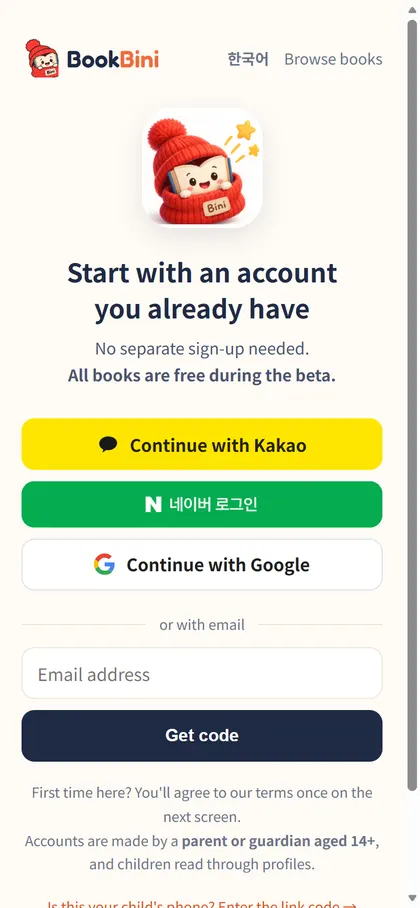
How do I start? Do I need to sign up?
No separate sign-up. Tap Read on bookbini.com and log in with the Kakao, Naver or Google account you already use. Or use email: enter your address, tap Get code and type the 6-digit code from the email (no password to create).
The first time, you'll see one consent screen (parent aged 14+, Terms, privacy and overseas-transfer consent).
Can I install it like an app?
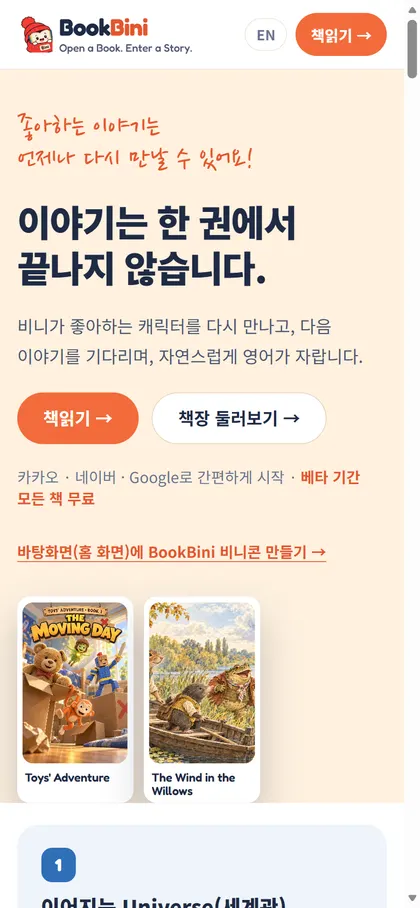
BookBini runs in the browser. Add it to your home screen to open it like an app.
- Android Chrome: ⋮ → Add to Home screen
- iPhone Safari: Share → Add to Home Screen
Does it work on phone, tablet and PC? Does my place carry over?
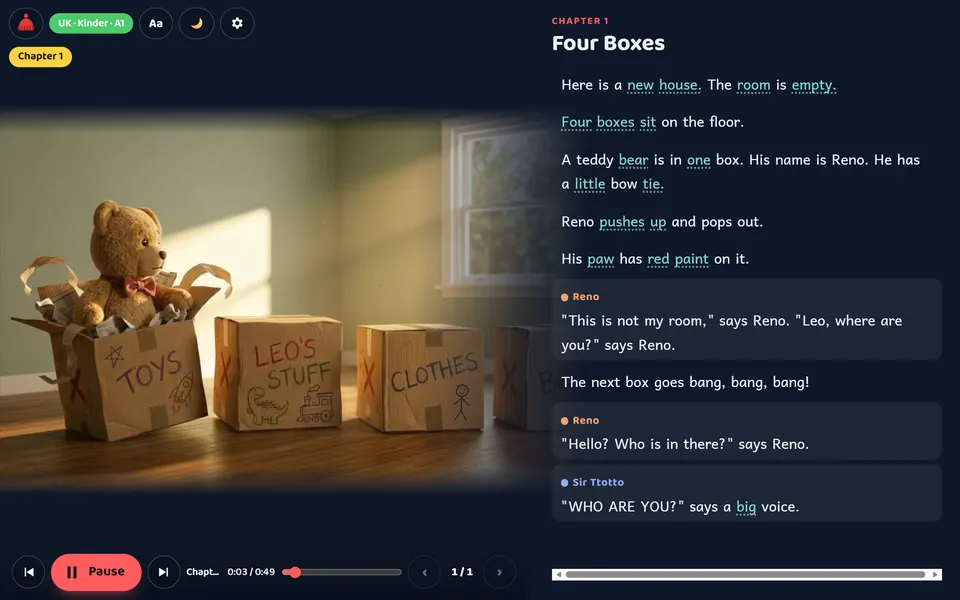
Yes. Log in with the same account and child and your place, stars and game records sync between devices. On wide screens the reader switches to the Cinema layout with a large picture.
Child profiles
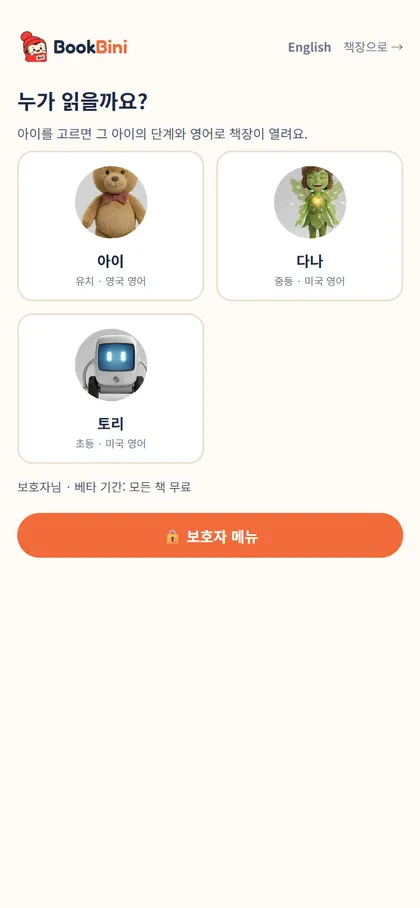
After login I see “Who's reading?” — what is it?
Pick the child who is reading. The bookshelf opens at that child's level and English (US/UK), and progress, stars and game records are saved per child. 📊 Report on each card opens that child's reading report. Tap the child chip at the top right of the bookshelf to switch children any time.
How do I create or edit a child profile?
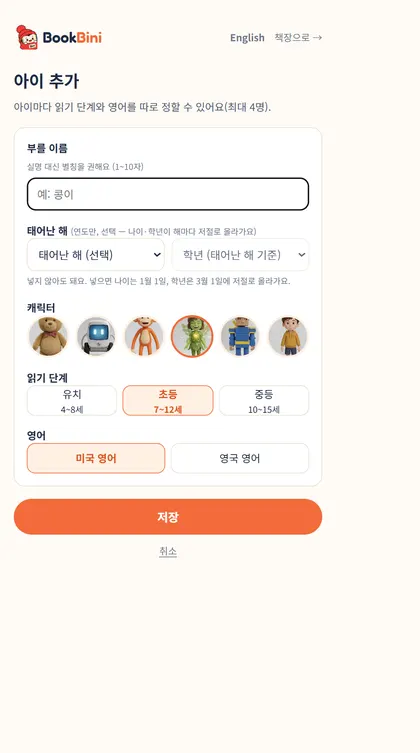
Open the 🔒 Parent menu, then [+ Add child] or [Edit] on a card (up to 4).
- Name — a nickname rather than a real name (1–10 characters).
- Born in / grade (optional) — year only; age and grade go up by themselves.
- Character, Reading level (Kinder 4–8 · Elementary 7–12 · Middle 10–15) and English (American / British).
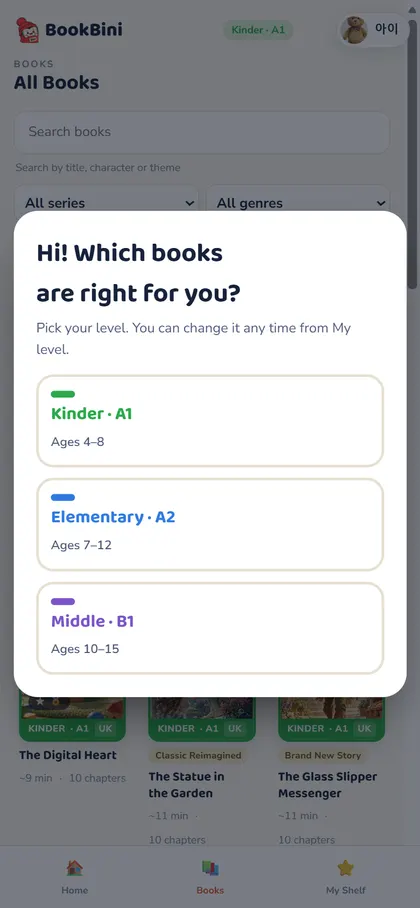
How do I pick a reading level, and can I change it?
Age is only a guide. Start where your child can listen comfortably and read along, then move up. Change it any time with the My level pill on the bookshelf or in the profile. Pictures and story stay the same; only the English deepens (A1 → A2 → B1).
Can I use my child's real name?
We recommend a nickname. Names appear only on the bookshelf, reports and certificates, and BookBini does not collect information that identifies a child.
Parents
What are the Parent menu and parent PIN?
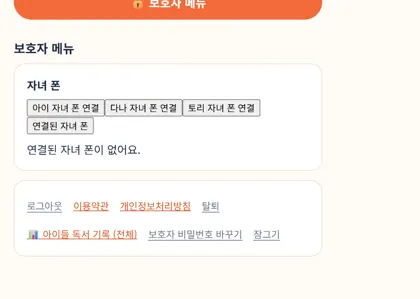
A menu locked with a 4-digit PIN so children can't change payments or settings. Inside: add/edit children, link a child's phone, family reading report, log out, delete account, change PIN. It locks again when you leave the page or tap Lock.
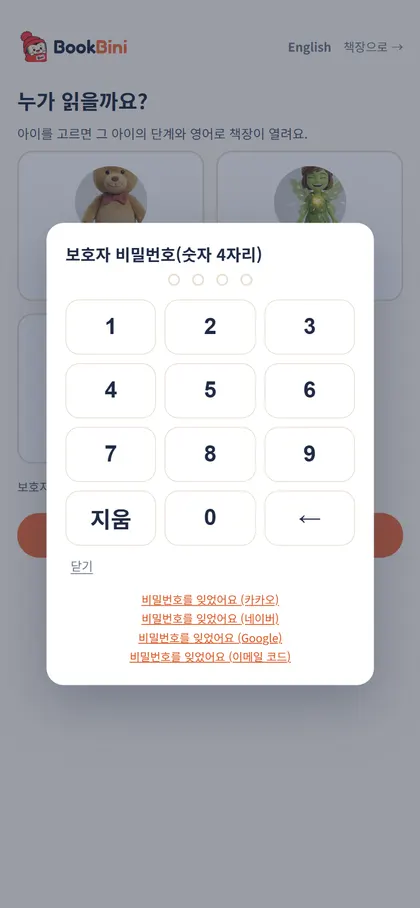
I forgot the parent PIN
Tap “Forgot the PIN” under the keypad, confirm with your login account (Kakao, Naver, Google or an email code) and set a new one.
What does linking a child's phone do, and how?
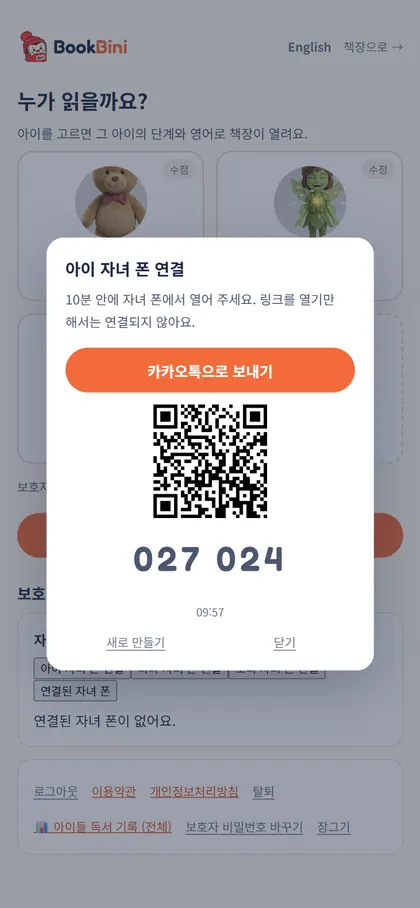
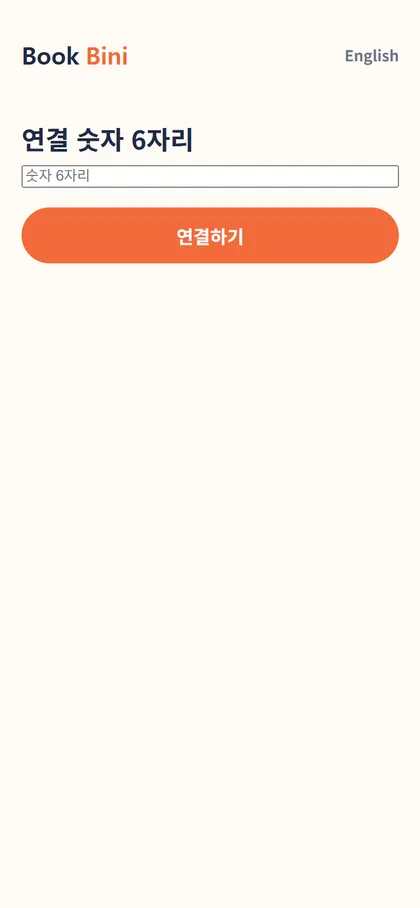
On a linked child phone only the bookshelf opens — no login, payment or account menus. On your phone: Parent menu → [Link ○○'s phone] gives a Kakao link, a QR code and a 6-digit code. Open it on the child's phone within 10 minutes and tap Link, or enter the code at bookbini.com/link/. Then add it to the home screen.
Up to 2 phones per child, 6 per account. Unlink any time under “Linked phones”.
Where do I enter a pass code?
After the beta ends, enter codes (e.g. IBORAM-XXXX-XXXX) under Parent menu → Register a free pass. The period counts from the day the beta ends; your status is shown on the “Who's reading?” screen.
What happens if I delete my account?
Your account, child profiles and reading records are all deleted and cannot be restored. Parent menu → Delete account → type DELETE.
Reading
How is the bookshelf organised? (Home · All Books · My Shelf)
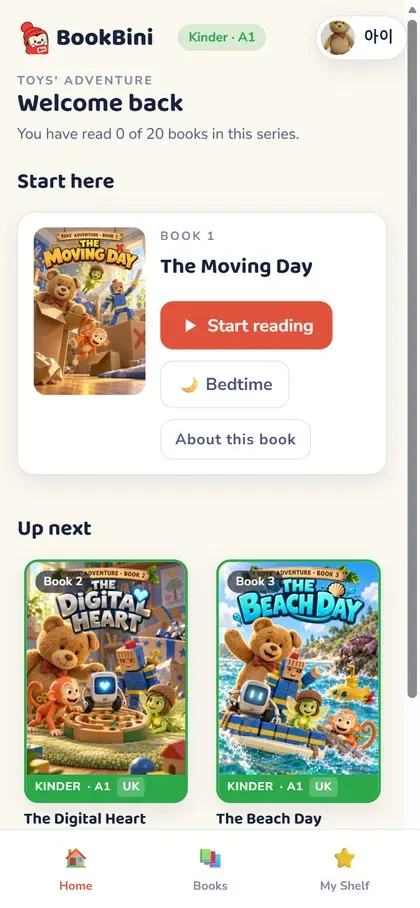
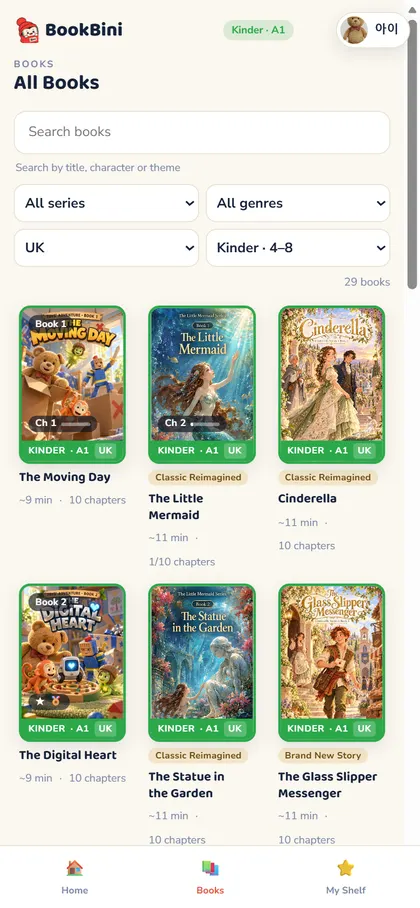
Home starts with the book in progress — [▶ Continue reading], [Start over] or [🌙 Bedtime]. All Books is the whole series with search and filters (series, genre, US/UK, level). My Shelf holds everything started or finished plus minutes read. On a card, ★ means finished, “Ch 3” in progress, 🎮 n/m game progress.
Tap a book for its summary, Lexile, other levels (ALSO IN) and the [▶ Read] button.
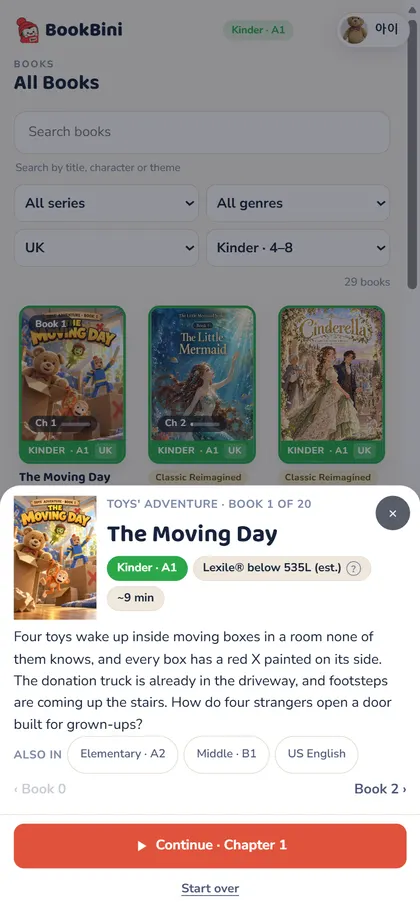
How do I read a book? What is “Read to Me”?
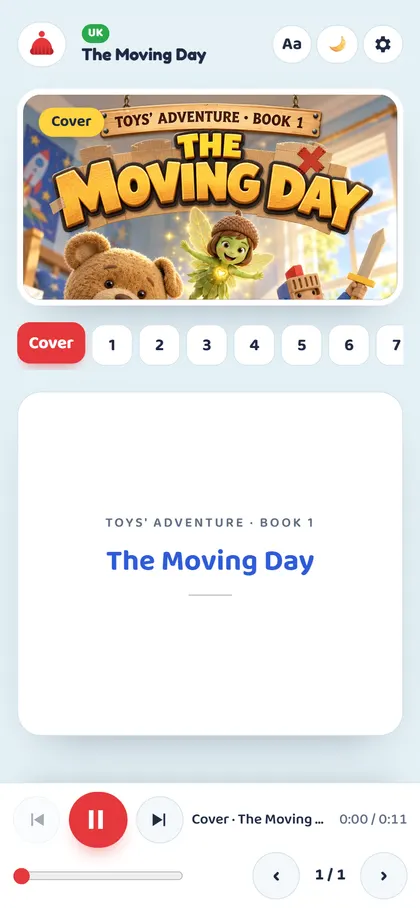
Each chapter has a gently moving picture. Tap [▶ Read to Me] and the story is read aloud with a different voice for each character while the current line and word are underlined. Use Chapters to jump, ‹ › or swipe to turn pages. The next chapter plays automatically.
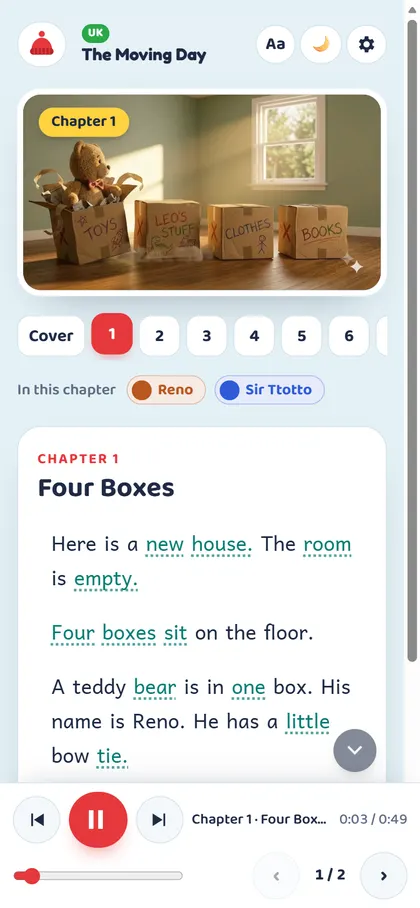
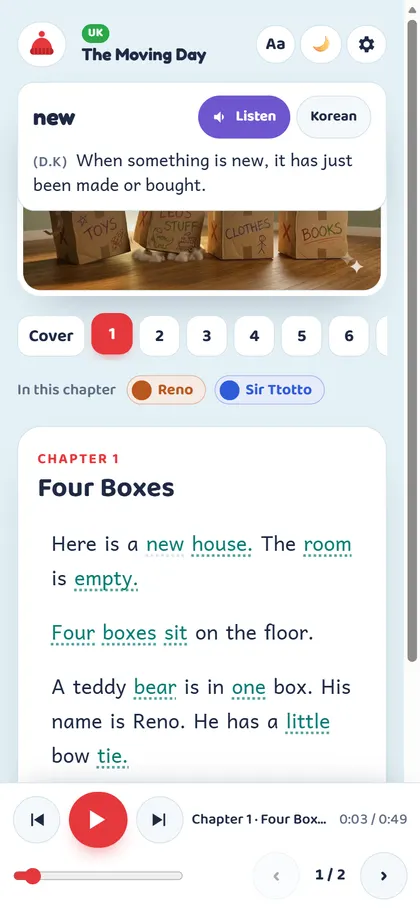
How do I see what a word means?
Words with a dotted underline are DK (Dictionary Knowledge) words. Tap one: narration pauses and the meaning appears. 🔊 Listen plays just that word; Korean ↔ English switches the meaning language. (Book) is the meaning in this story, (D.K) the dictionary meaning. Close it and narration continues.
Where do I change text size, speed and highlighting?
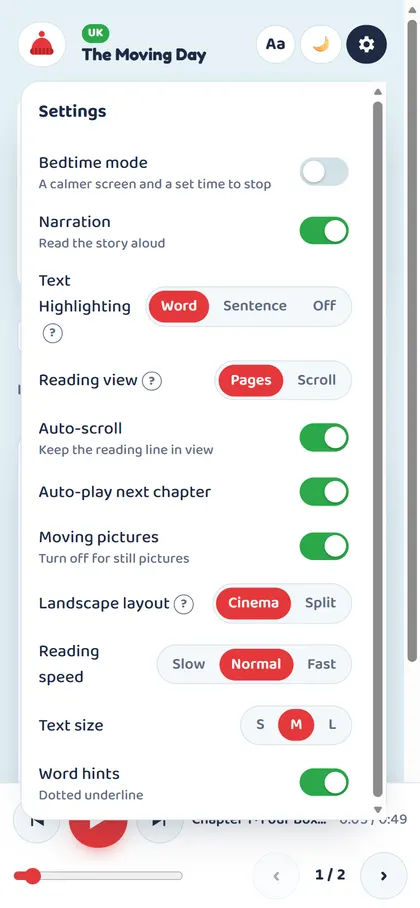
The gear (Settings) at the top right: Narration, Text Highlighting (Word · Sentence · Off), Reading view (Pages · Scroll), Auto-scroll, Auto-play next chapter, Moving pictures, Landscape layout (Cinema · Split), Reading speed (Slow · Normal · Fast), Text size (S · M · L), Word hints. Aa in the top bar changes text size directly. Settings are saved on the device.
What is Bedtime mode?
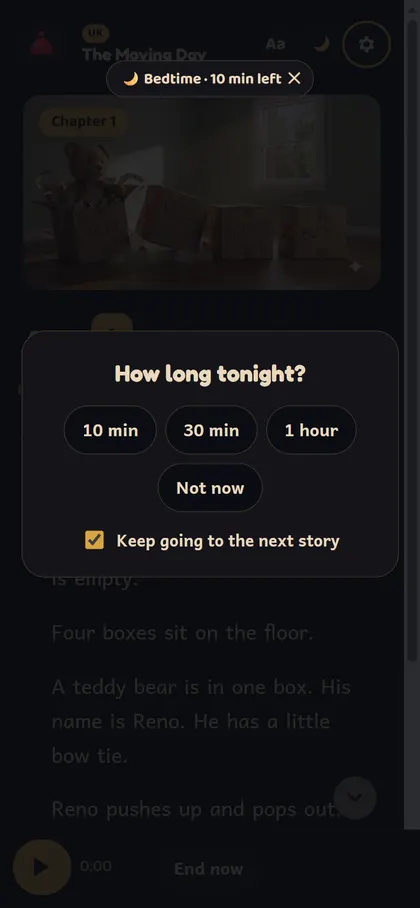
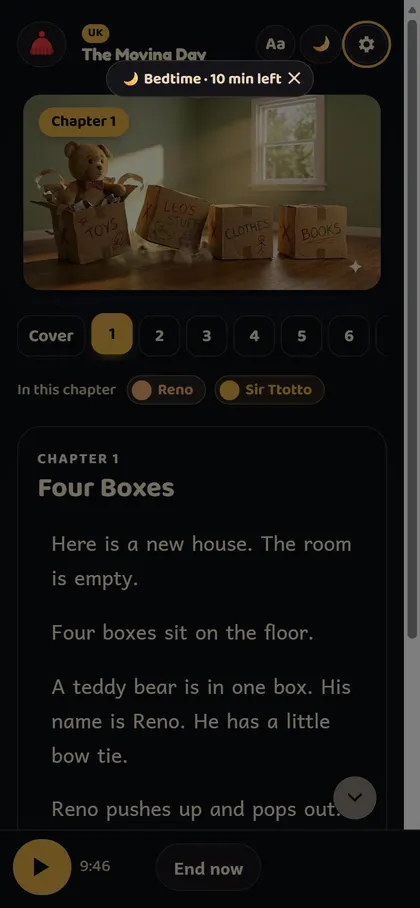
A mode for listening until sleep. Tap 🌙 in the reader or [🌙 Bedtime] on the bookshelf, choose 10 min · 30 min · 1 hour, and after showing tonight's plan the screen dims and underlines and buttons disappear. When time is up it stops quietly with “Good night 🌙”. Turn on “Keep going to the next story” to continue into the next book.
When do I get the finished star ★? I reached the end but got no star
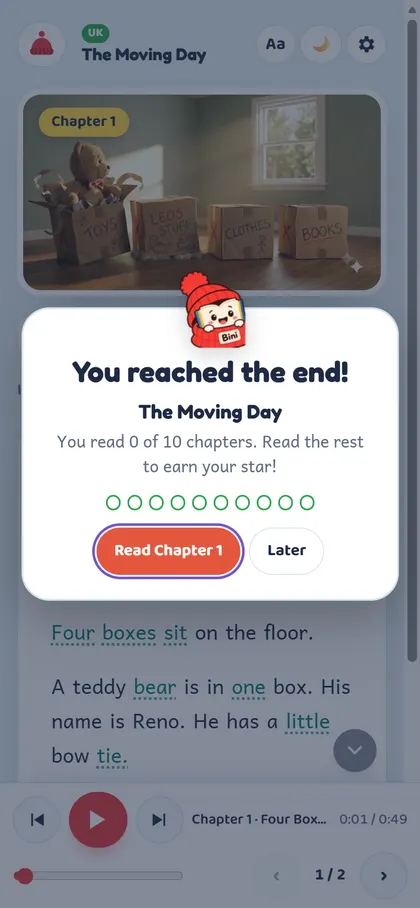
A star is given only when every chapter has been listened to the end. If chapters were skipped, “You reached the end!” shows which ones; tap [Read Chapter n] to finish them. This keeps the reading time and finished counts in reports honest.
What are Everyday words and Challenge words?
Everyday shows meanings for words used often in the book and D.K words. Challenge shows harder words above your child's level. Levels refer to the CEFR-J Wordlist v1.5 (Tono, TUFS); definitions are written by BookBini. Change it in the reader settings (⚙) under Word help.
Play & Learn · Reports
What is Play & Learn and when does it open?
When a book is finished, games built from that book's scenes, sentences and voices open — from the celebration screen, the book popup or My Shelf ([Play & Learn]). Kinder and Elementary follow Bini along a path; Middle gets a mission board (Quick Check · Evidence Hunt · Big Question · OREO Writing). ★★★ per game and a secret badge 🏅 for all.
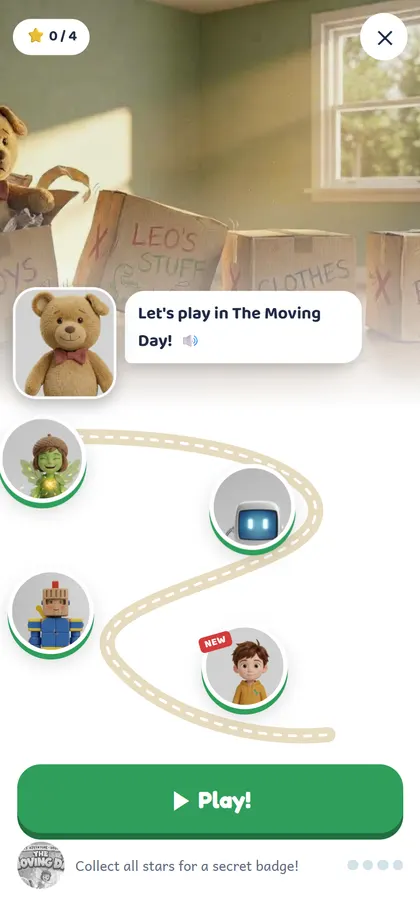
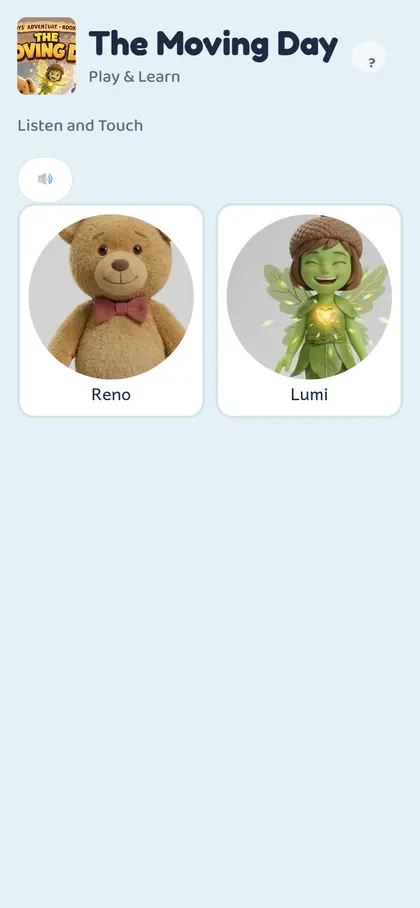
Which games are there per level?
- Kinder — Listen and Touch, What Happened?, First, Next, Last, Eye Spy
- Elementary — Who Said It?, Put It in Order, Create Your Ending, Comic Quiz, Eye Spy
- Middle — Quick Check (2 min), Evidence Hunt (3 min), Big Question (no right answer, 2 min), OREO Writing (5 min)
The first time, a short guide with 🔊 is shown.
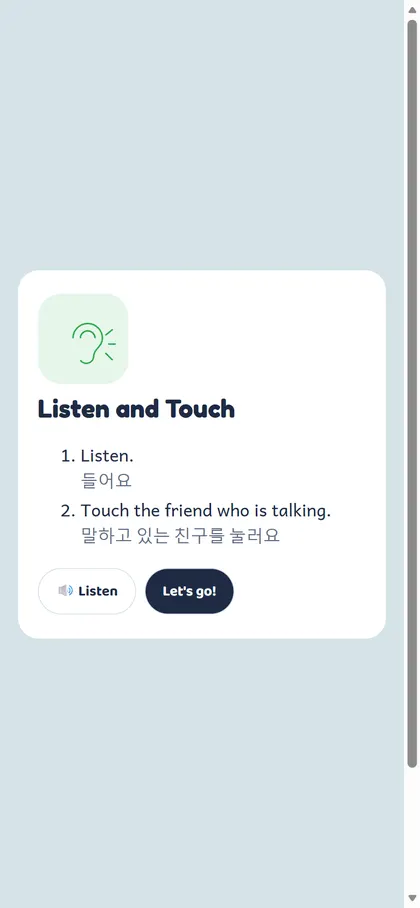
Where are the reading records and reports?
📊 Reading Report on the “Who's reading?” screen (whole family), 📊 Report on a child card, or [📊 Reading Report] in My Shelf. Weekly/monthly minutes and books, comparison with last period, daily chart, books read and a 12-week reading-day calendar. [🖨 Printable report (PDF)] fits one A4 page. A child phone shows only its own record.

How do reading goals and certificates work?
In the report, set a goal of “○ minutes every day” or “○ books every day” (by parent or child). Weekly and monthly goals are calculated automatically; Sunday is a rest day. For a period where the goal was met, [🎓 Make a certificate] prints an A4 landscape certificate (Korean/English).
Troubleshooting
There's no sound
Check that Narration is on in Settings and that the device isn't muted. iPhones may stay silent in silent mode. Bedtime mode intentionally turns off sound effects and the fanfare.
No video — it says “coming soon”
That scene's video is still being made; narration and text work as usual. On a slow connection, turn off Moving pictures in Settings for still pictures.
My place isn't showing on another device
Make sure you're logged in with the same account and the same child (a Naver login is a different account from Kakao/Google). Records made while logged out stay on that device only.
The child phone says it was unlinked
A parent unlinked it or the link expired. Link it again from Parent menu → Link phone on the parent's phone.
What happens when the beta ends?
During the beta every book is free. Afterwards passes and periods apply; the remaining period is shown on the “Who's reading?” screen. Periods granted through partner benefits start automatically on the day the beta ends. Changes are announced on screen and by email in advance.
No matching question. Email us at nexbiz.co.kr@gmail.com.
NexBiz Co., Ltd. · nexbiz.co.kr@gmail.com · Terms · Privacy · The Korean guide is the primary version; screens may change slightly.